
Bloodborne remains one of the most sought-after PlayStation 4 exclusives for emulation, and shadPS4 has rapidly become the primary PS4 emulator used by the community. With the introduction of the shadPS4 QtLauncher, game management is cleaner and more modular, but recent emulator updates have also removed native PKG installation support. As a result, installing Bloodborne PKG files now requires alternative workflows depending on the emulator version you choose.
This guide explains all currently viable methods to install Bloodborne PKG files for shadPS4 QtLauncher, including PKG extraction, legacy installer workarounds, and community forks that retain PKG support. Each method is structured so you can choose the approach that best matches your setup, operating system, and technical comfort level.
This article is optimized for search queries such as install Bloodborne shadPS4, Bloodborne PKG shadPS4 QtLauncher, and how to install PKG files in shadPS4.
Table of Contents
Prerequisites
Before starting, ensure you have the following:
- A compatible PC capable of running shadPS4
- The latest shadPS4 QtLauncher
- A legitimate Bloodborne base game PKG
- Bloodborne update PKG files (commonly version 1.09)
- Sufficient disk space (Bloodborne requires tens of gigabytes after extraction)
- Windows or Linux OS, depending on the chosen method
Method 1: Use PKG Editor (Recommended for New shadPS4 Versions)
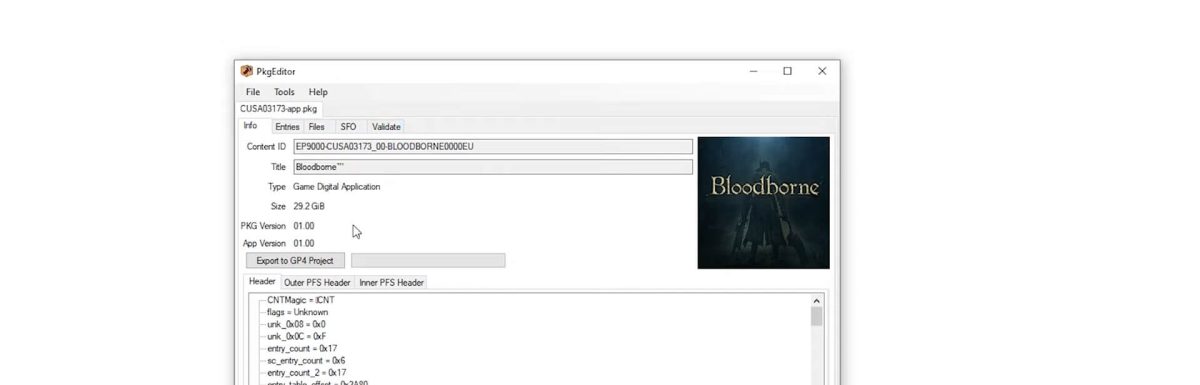
PKG Editor is a graphical utility designed for working with PlayStation 4 package files. It allows users to open PKG files directly, inspect headers and file entries, edit GP4 projects, modify SFO metadata, and build PKG or PFS archives. When a valid passcode is available, PKG Editor also enables browsing of internal game files.
Because newer versions of shadPS4 have removed direct PKG installation, extracting PKG files into GP4 projects is now the preferred and most future-proof installation method. Instead of installing PKGs inside the emulator, you prepare a fully extracted game directory and point shadPS4 to it.
This method is fully compatible with the shadPS4 QtLauncher.
Step-by-Step Instructions
Download & Setup
Download the latest build of Pkg-Editor-2023. Keep the tool updated to avoid compatibility issues with newer emulator builds.
Create Folder Structure
Create a clean directory structure to avoid path conflicts:
D:\ShadPS4\
D:\ShadPS4\Bloodborne\
Using a dedicated Bloodborne folder ensures update files merge correctly.
Open the Base Game PKG
Launch PKG Editor.
Navigate to File > Open.
Select the Bloodborne base game .pkg file (always install the base game first).
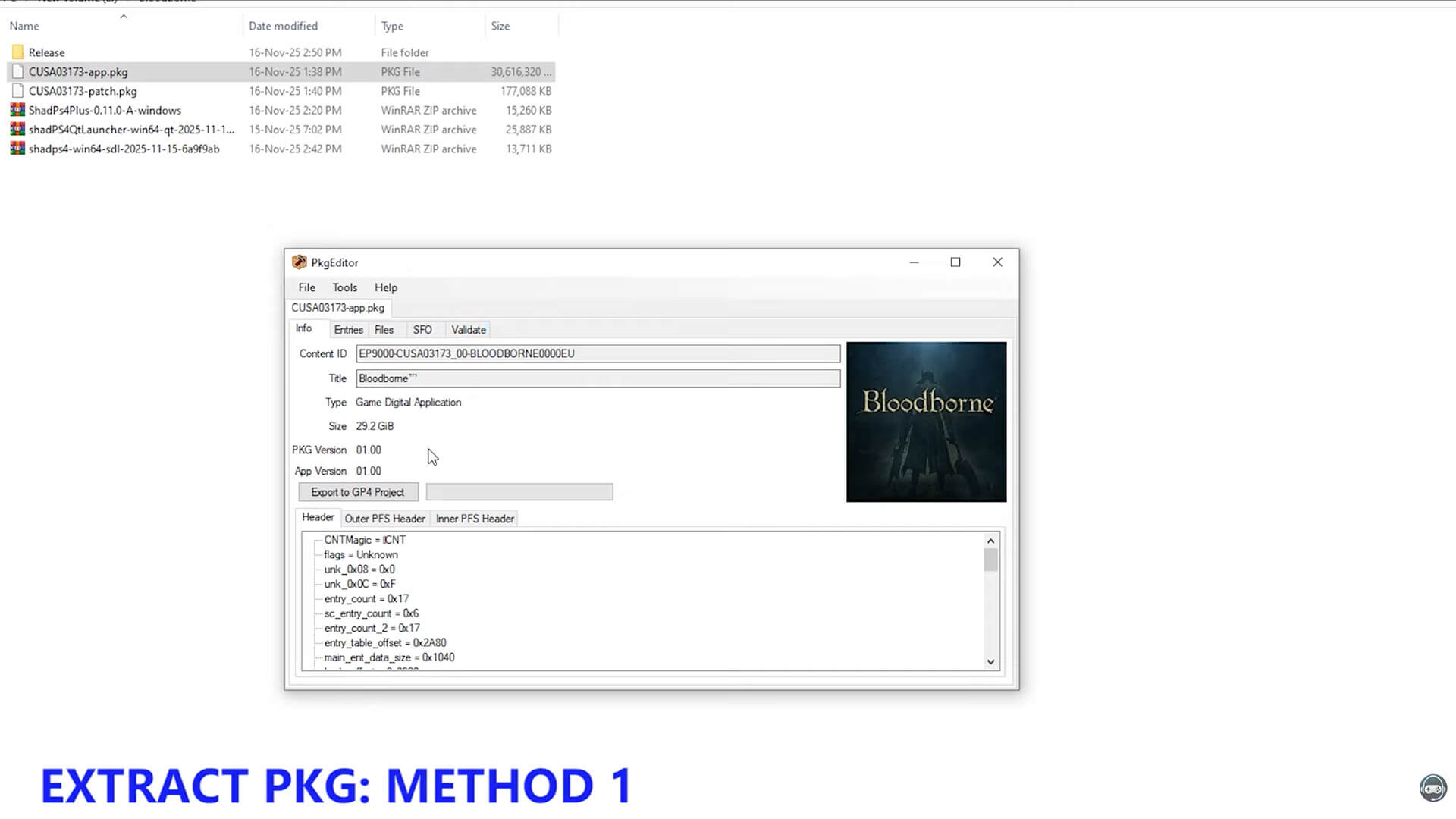
PKG Editor will load the package header and file structure.
Export to GP4
Click Export to GP4 Project.
Select the D:\ShadPS4\Bloodborne folder as the destination.
Click Save and wait for extraction to complete.
This process converts the PKG into a GP4-based directory structure usable by shadPS4.
Apply Update PKGs
Repeat the same process for all update PKG files (for example, Bloodborne update 1.09).
Export each update into the Same Bloodborne Folder, allowing files to overwrite as required.
Add Game Path to shadPS4
Open shadPS4 QtLauncher.
Go to Settings > Paths.
Add D:\ShadPS4 (or your chosen root directory).
Apply and restart the emulator if needed.
Launch the Game
Bloodborne should now appear in the game list.
Select it and launch directly from shadPS4.
Advantages of This Method
- Compatible with the latest shadPS4 builds
- No reliance on deprecated PKG installers
- Cleaner folder-based game management
- Ideal for long-term emulator updates
Video Tutorial
Method 2: Use an Older Version of shadPS4 (Legacy Installer)
Older versions of shadPS4 included a built-in PKG installer accessible through File > Install Packages. Although this functionality has been removed in modern builds, it can still be used as a workaround by installing Bloodborne once and then running the game using the latest emulator version.
This method is popular among users who prefer a more traditional PKG installation workflow.
Basic Installation Steps
Download an Older shadPS4 Version
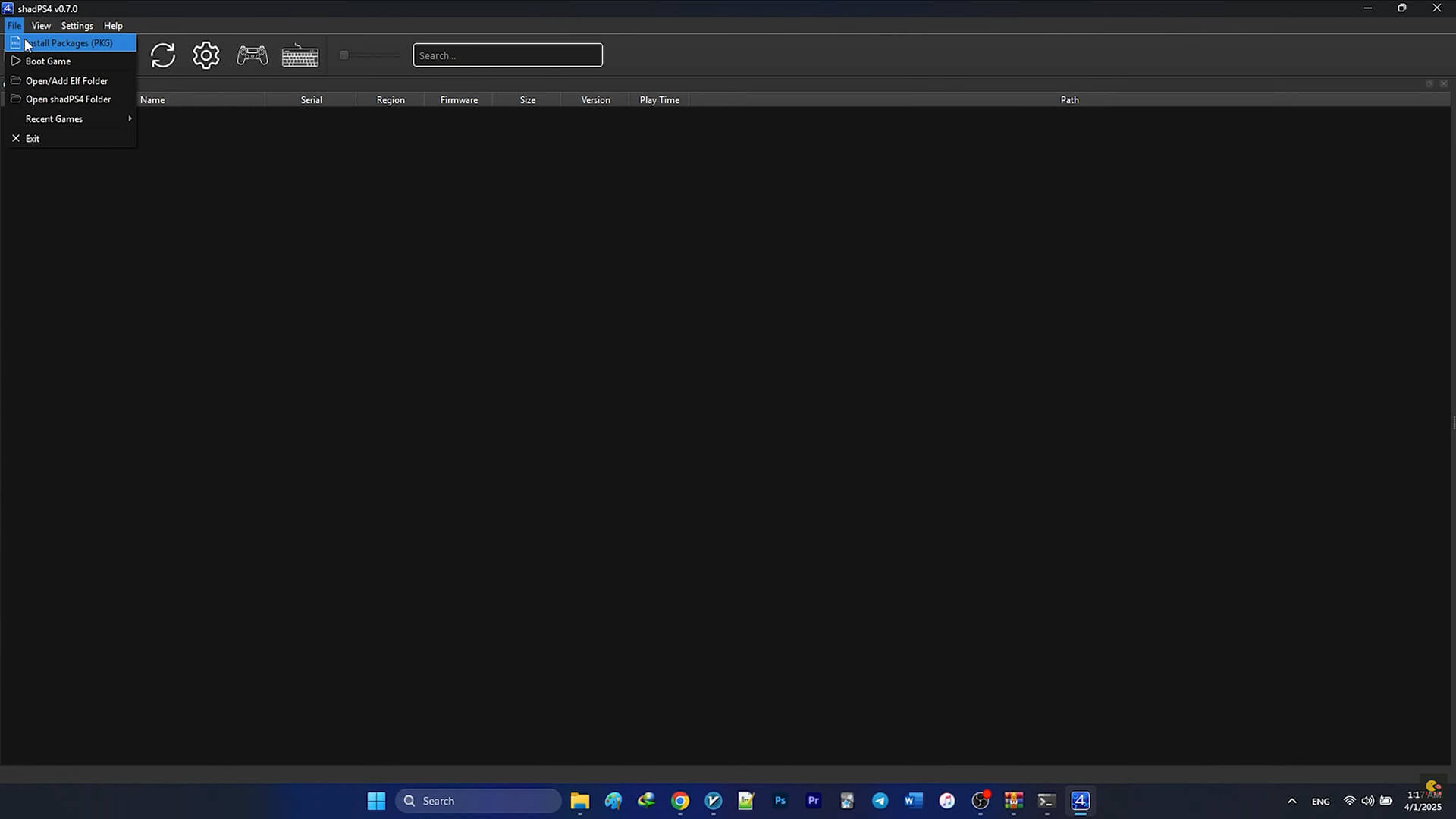
Locate and download an older shadPS4 release that still supports PKG installation. Versions around v0.7.0 are commonly used.
Align Emulator Paths
Ensure both the old and new shadPS4 versions point to the same:
- Game directory
- DLC directory
- Save data paths
This ensures compatibility when switching versions.
Install PKG Files
Open the older shadPS4 executable.
Navigate to File > Install Packages.
Install the Bloodborne base game PKG first.
Install the update PKG second.
Wait until extraction finishes completely.
Launch Using Latest shadPS4
Close the old emulator version.
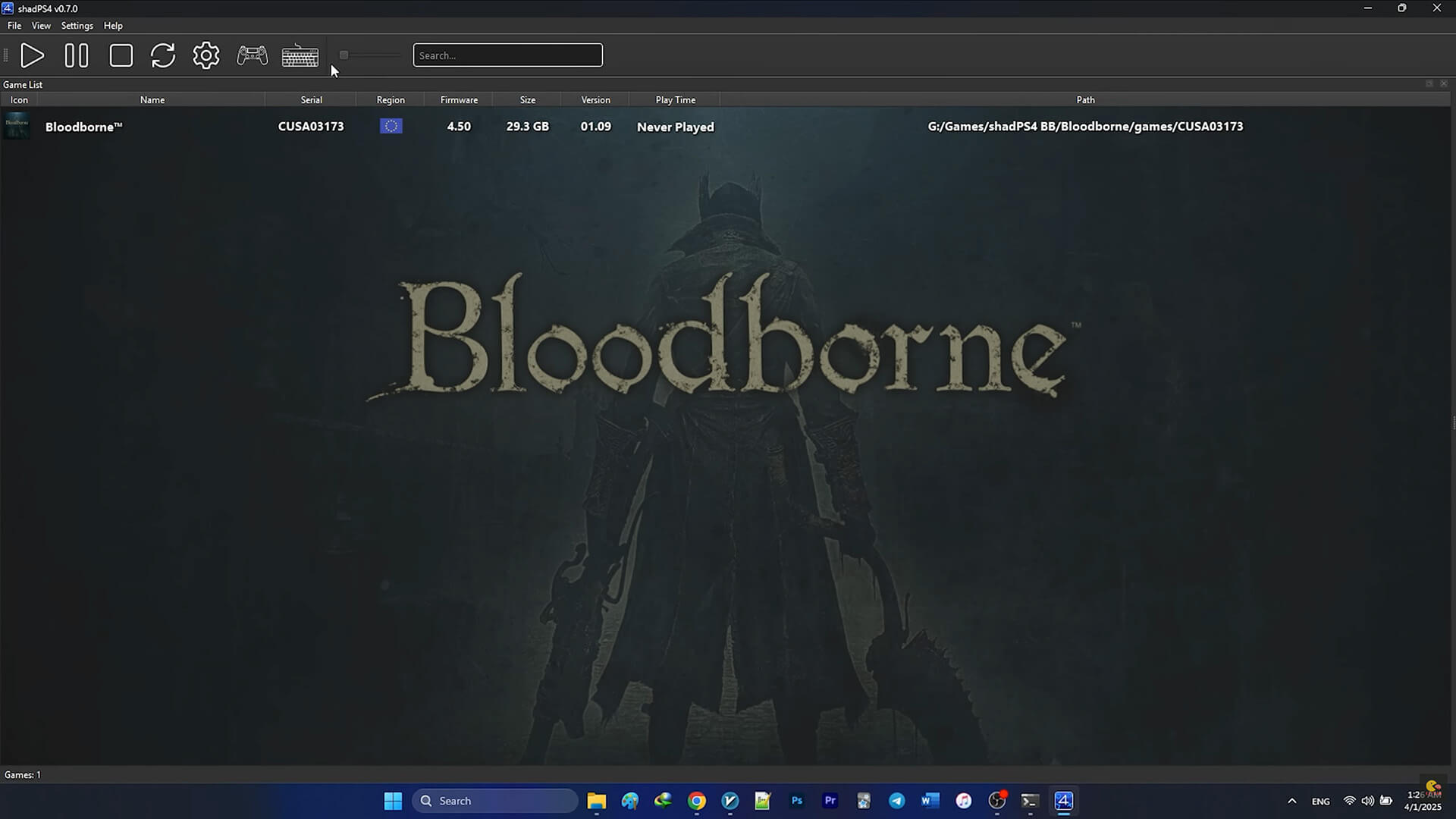
Open the latest shadPS4 QtLauncher.
Bloodborne should now appear and be playable.
2.1 Initial Installation (Detailed Workaround)
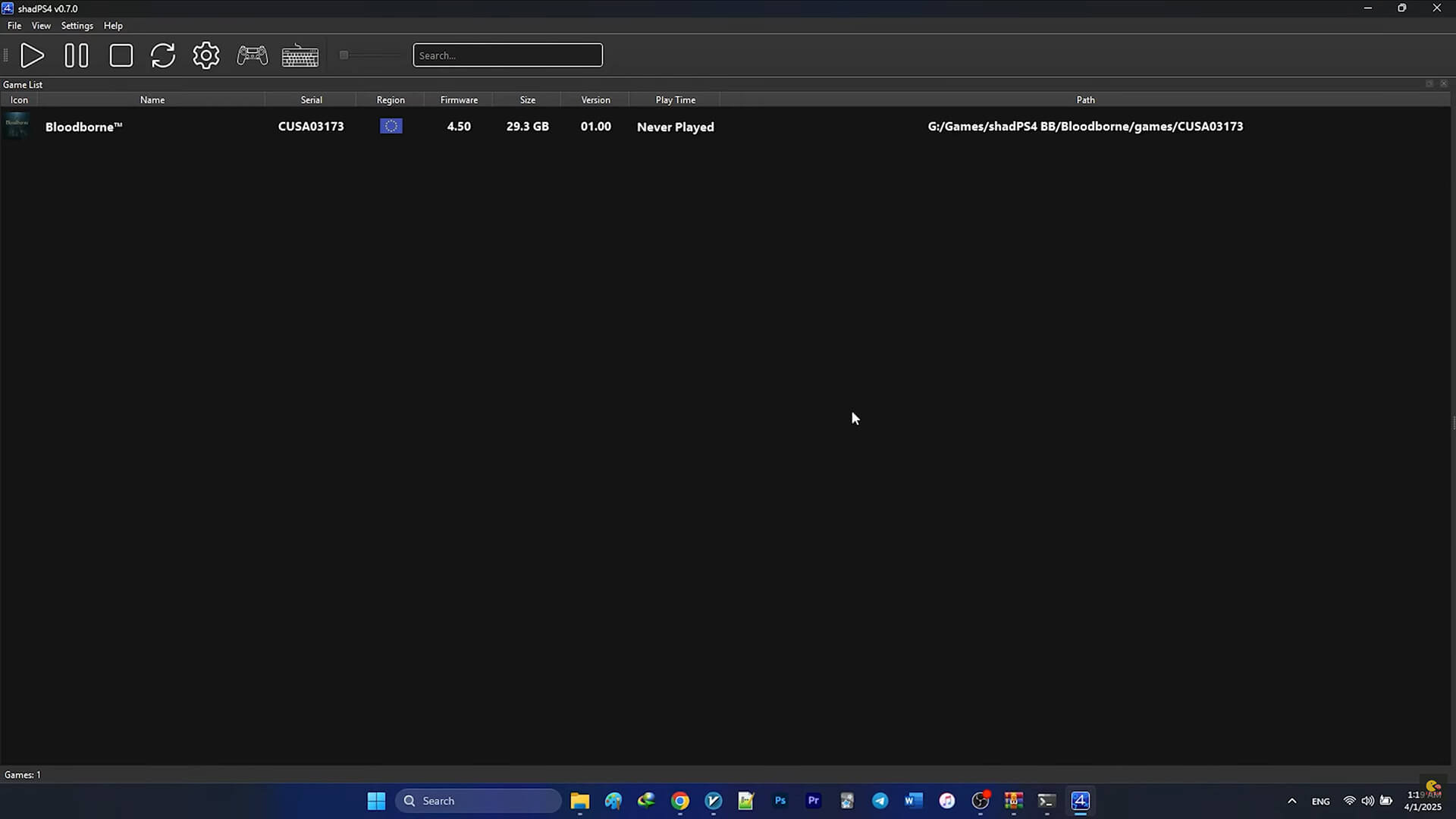
Because newer versions lack a package installer, this workaround remains effective.
- Download shadPS4 v0.7.0 (Stable) from GitHub
- Extract it into a folder (for example,
Bloodborne) - Create a subfolder named
games - Launch
shadPS4.exe - When prompted, select the
gamesfolder as the installation directory
2.2 Installing Bloodborne PKGs
- Open shadPS4
- Go to File > Install Packages
- Install the Base Game PKG first
- Install the Update PKG second
- Wait for extraction to finish
Video Tutorial
Advantages and Limitations
Advantages
- Simple, familiar workflow
- No manual extraction required
Limitations
- Relies on deprecated emulator features
- Potential compatibility issues in future versions
Method 3: Use shadPS4Plus (PKG Support Retained)
shadPS4Plus is a community-maintained fork that retains PKG installation support while remaining close to official shadPS4 releases. Version 0.12.0 A is effectively shadPS4 0.12.0 with additional bug fixes backported from 0.12.5.
This makes it a popular choice for users who want PKG installation without downgrading too far.
Installation Notes
- Windows and Linux builds are available
- The Windows version includes only the executable
- Place
ShadPS4Plus.exeinside an existing shadPS4 0.12.0 directory - Run the executable normally
PKG installation steps are identical to older shadPS4 versions.
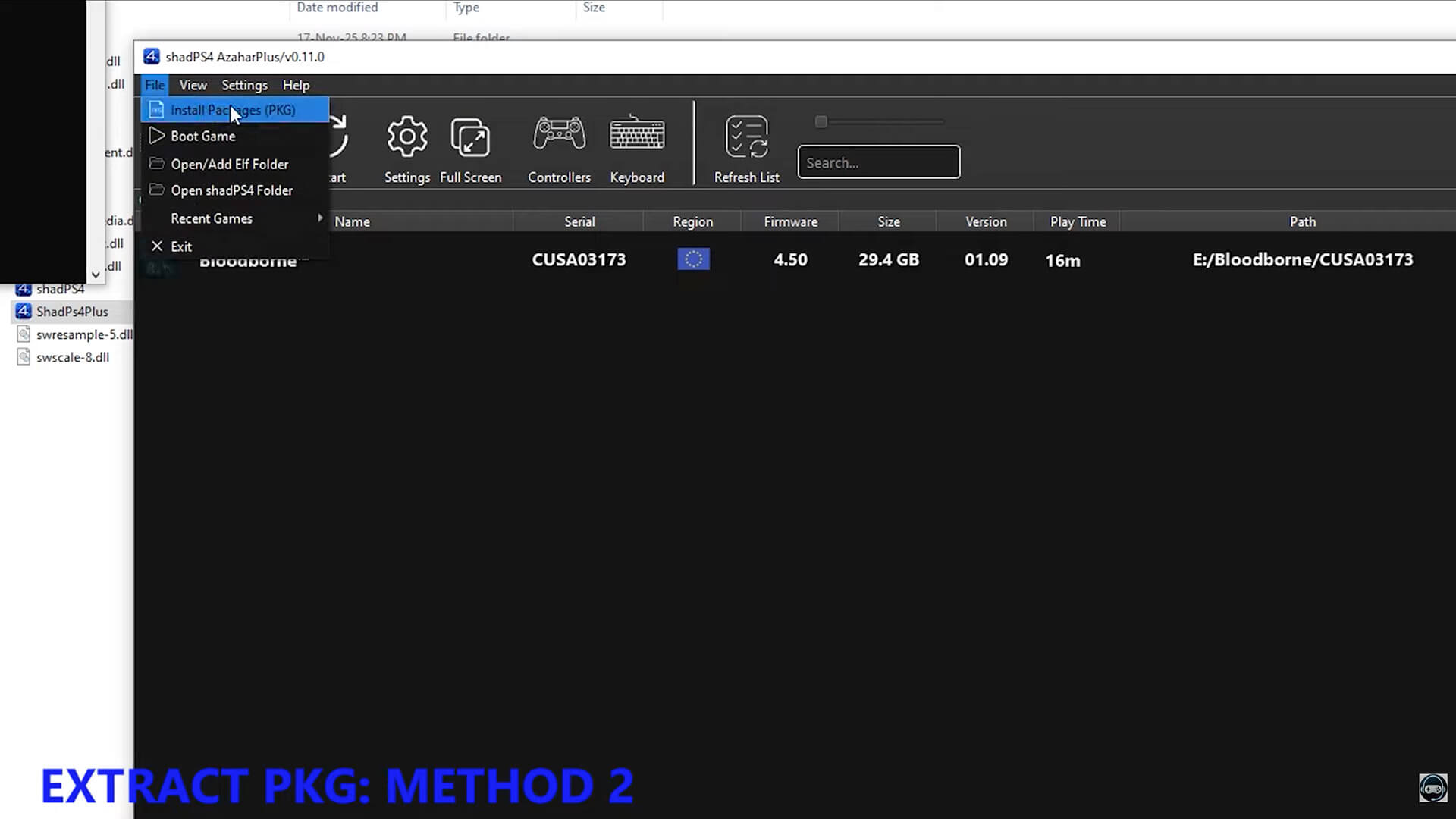
ShadPS4Plus PKG Extractor 1.0 is a standalone utility derived from code that was previously built into shadPS4. It was released to preserve PKG handling functionality after newer versions of the emulator removed native PKG installation support. The tool is fully compatible with modern shadPS4 and the shadPS4 QtLauncher, making it a practical solution for installing games such as Bloodborne using PKG files.
pkg_extractor (EXE / AppImage)
The pkg_extractor component is the main extraction engine. It is a command-line tool responsible for unpacking PlayStation 4 PKG files into a directory structure that shadPS4 can recognize. It is available as a Windows EXE and a Linux AppImage, allowing cross-platform use without requiring the emulator interface.
The tool accepts up to two arguments:
pkg_extractor <path_to_pkg> <extract_destination>
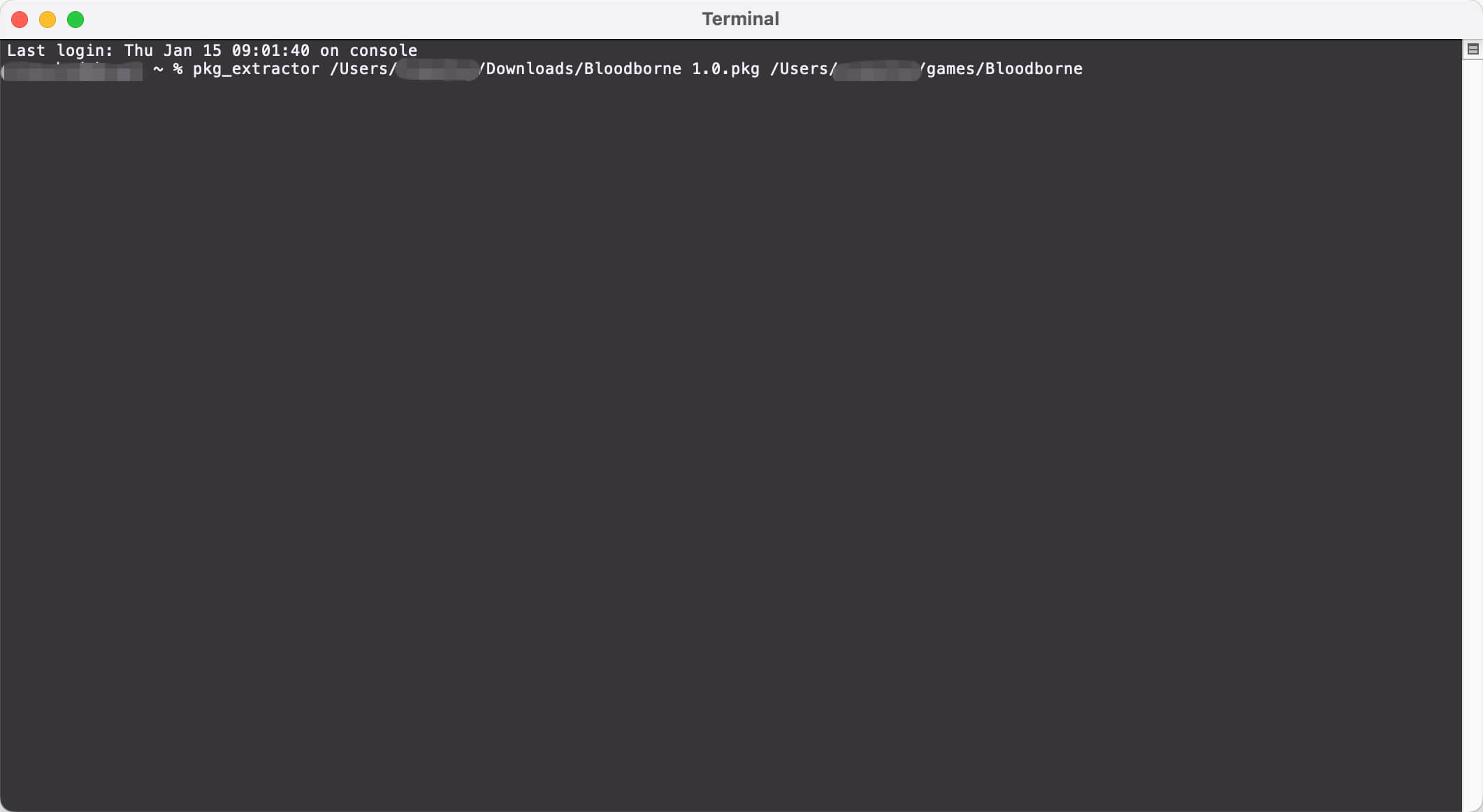
The first argument is the path to the PKG file to be extracted. The second argument is optional and specifies the output directory. If no destination is provided, the PKG contents will be extracted into the same directory as the original PKG file by default.
On Windows systems, pkg_extractor.exe supports drag-and-drop functionality. Dragging a PKG file directly onto the executable will automatically extract the contents to the PKG’s current location, eliminating the need to use the command line.
This component is commonly used to extract Bloodborne base game PKGs and update PKGs (such as version 1.09) for manual path-based loading in shadPS4 QtLauncher.
install_pkg (Shell / Batch Script)
The install_pkg script automates PKG extraction and places the extracted files directly into the correct directories used by shadPS4. It is available as install_pkg.sh for Linux and install_pkg.bat for Windows. Unlike pkg_extractor, this script must be edited before first use.
Before running the script, open it in a text editor and configure the following variables:
- gamesDir – The directory where shadPS4 stores installed games
- addonsDir – The directory used for updates and DLC
These paths must match the values configured in shadPS4 → Settings → Paths. Incorrect paths will prevent the game from appearing in the emulator.
The script accepts a single argument:
install_pkg <path_to_pkg>
When executed, the PKG file is extracted and installed into the appropriate game or addon directory based on its metadata.
On Windows, install_pkg.bat also supports drag-and-drop. Dropping a PKG file onto the batch file will automatically extract and install it into the correct shadPS4 directories, closely replicating the legacy File > Install Packages workflow found in older emulator versions.

ShadPS4Plus PKG Extractor 1.0 provides a reliable replacement for deprecated PKG installation features in modern shadPS4 builds. With command-line and drag-and-drop support on both Windows and Linux, it offers a flexible and future-proof solution for installing Bloodborne and other PS4 PKG-based titles.
Method 4: Use diegolix’s Fork of shadPS4
The diegolix fork is another community-driven build that preserves PKG installation functionality. It behaves similarly to older official releases and is often used for installing complex or problematic PKG files.
Installation Process
- Download the diegolix shadPS4 build
- Launch the emulator
- Select the Bloodborne PKG file
- Proceed with installation using the built-in installer
Once installed, Bloodborne can be launched directly from the emulator.
Final Notes and Best Practices
- Always install the base game PKG before updates
- Keep all extracted files in a single dedicated Bloodborne folder
- Avoid mixing multiple installation methods for the same game
- Back up save data before switching emulator versions
- For long-term stability, PKG extraction (Method 1) is strongly recommended
Installing Bloodborne for shadPS4 QtLauncher is no longer a one-click process, but multiple reliable solutions exist. Whether you choose PKG extraction with PKG Editor, a legacy shadPS4 installer, or a community fork like shadPS4Plus, each method allows you to run Bloodborne effectively on modern emulator builds.
For users focused on future compatibility and clean emulator management, PKG Editor extraction remains the best overall approach, while legacy and fork-based solutions serve as practical alternatives.
This guide covers all current methods used by the shadPS4 community and will remain relevant as emulator development continues.