
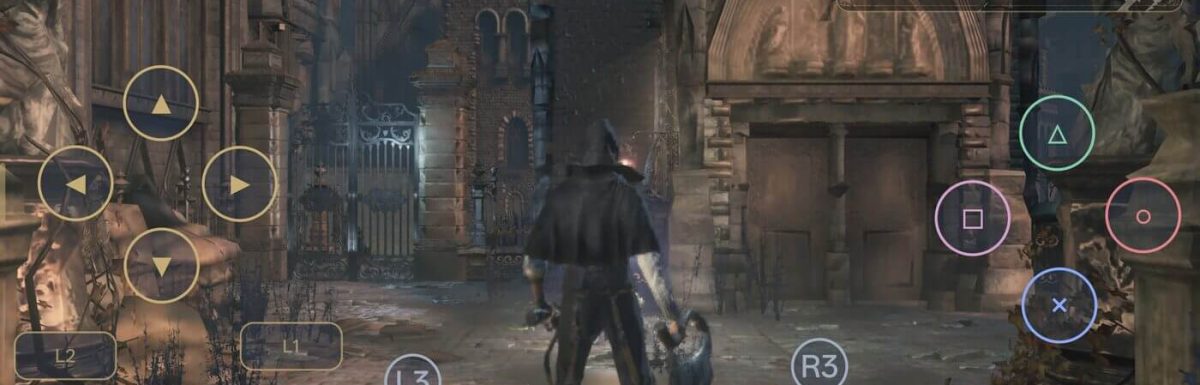
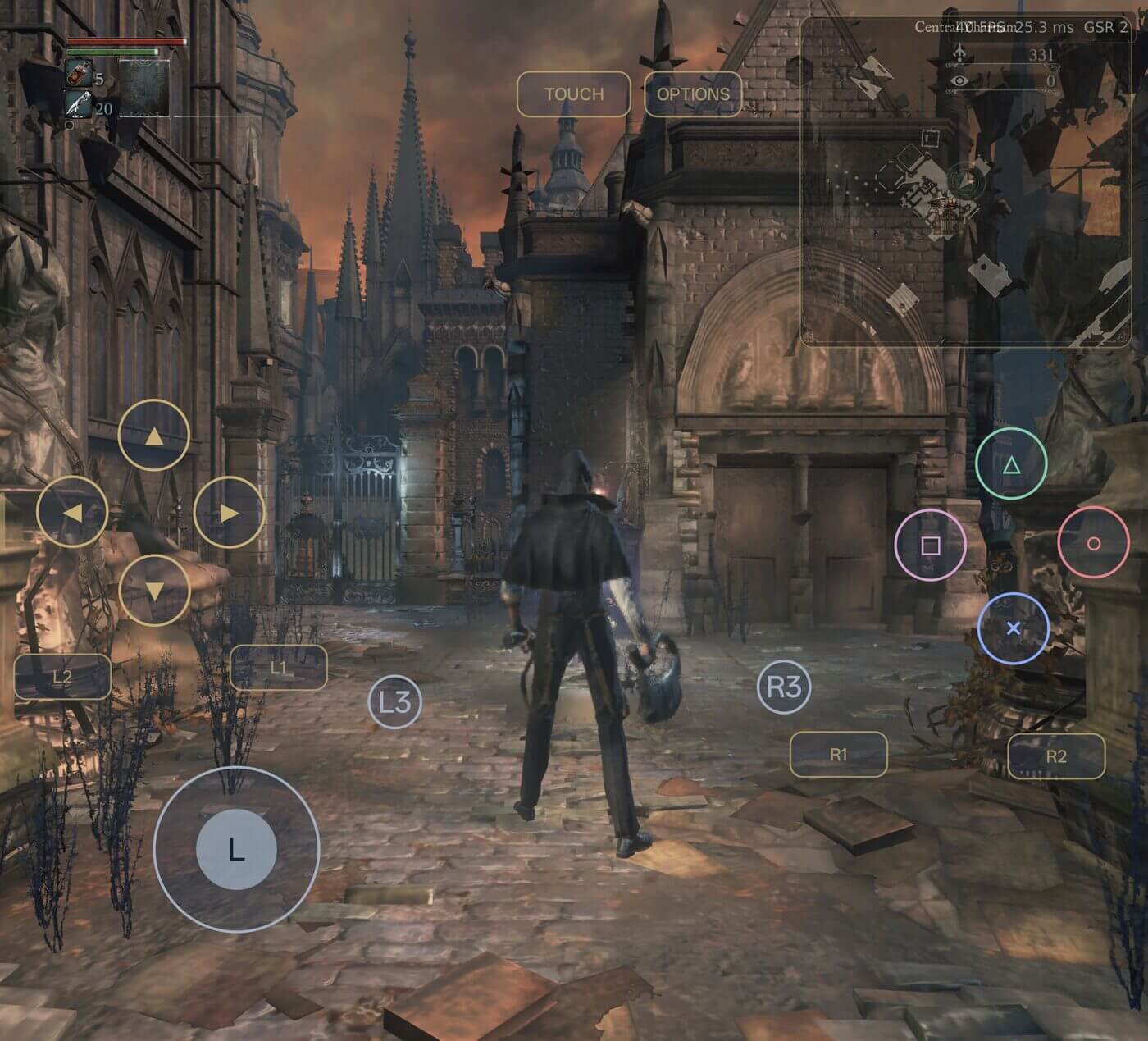
Short answer: Install the Bloodborne-Android APK from the project’s GitHub Releases page on a Snapdragon (Adreno GPU) phone or handheld running Android 9 or newer. Copy your own extracted Bloodborne dump, with update 1.09 merged in, to the device. Open the app and select the folder that contains eboot.bin. The first launch takes a few minutes. Start with the default settings: GSR 2 Performance at 1080p, lowest model detail, and a 60 FPS limit.
Last checked: October 22, 2026. The latest release is 1.2.0 (“Play Online”). This project is experimental and changes quickly, so check the official repository for current details.
What is Bloodborne-Android?
Bloodborne-Android is an unofficial, open-source port of the PS4 version of Bloodborne (v1.09). It is not a PS4 emulator. A developer known as ducvd89 published it on GitHub in October 2026. It is based on the community Linux PC port (bloodborne_pc / bbport) and uses shadPS4’s renderer.
Here is how it works:
- The game’s own
eboot.binruns on your phone. - FEXCore translates the game’s x86-64 code to ARM64.
- The game’s calls to PS4 system libraries go to native replacements instead.
- The game’s GPU commands and shaders are translated to Vulkan. The bundled Turnip driver then runs them on Adreno GPUs.
- The app is a plain Android (NDK) program. It does not use a Linux system, Wine, or Box64.
Important: The port does not include the game. You need your own legal copy of Bloodborne. The project has no ties to Sony Interactive Entertainment, FromSoftware, Qualcomm, Valve, or the developers of Lossless Scaling.
Will It Run on My Phone? (Requirements Checklist)
| Requirement | Details |
|---|---|
| Chip / GPU | Qualcomm Snapdragon with an Adreno 6xx, 7xx, or 8xx GPU |
| Officially tested devices | AYN Thor (Snapdragon 8 Gen 2, Adreno 740) and Oppo Find N5 (Snapdragon 8 Elite, Adreno 830) |
| Not supported | Mali GPUs (Exynos, Dimensity, Tensor, and others). A Mali driver is included for testing only, and the game does not run on it yet. |
| Android version | Android 9 or newer |
| RAM | Tested with 16 GB. Stay at 1080p output or below if you have less than 12 GB. |
| Game files | Your own Bloodborne PS4 dump with update 1.09 merged in |
| Storage | Room for the game dump, plus about 34 MB if you turn on the live map |
Realistic minimum: Community posts describe the Snapdragon 8 Gen 2 as the practical minimum. Other Adreno 6xx/7xx/8xx devices are officially untested, so older or mid-range chips may struggle or fail.
Supported game regions: CUSA00900, CUSA03179, CUSA00207, CUSA03173, CUSA00208, CUSA00299, CUSA03014, CUSA01363, CUSA03023.
Step-by-Step Installation Guide
Step 1: Check your phone’s chip
Open Settings → About phone or use a free app like CPU-Z. Find the processor name.
- If it says Snapdragon with an Adreno GPU, continue.
- If it shows a Mali GPU, stop here. The game will not run.
Step 2: Prepare your own Bloodborne game files
You need an extracted copy of the game (a folder, not a disc) with update 1.09 merged in. This usually means dumping the game from your own PS4. Once the dump is ready:
- Make sure the folder is named after your region code (for example
CUSA00900). - Confirm that the folder contains
eboot.bin. - Use the original 1.09
eboot.bin. Do not use a pre-patched “60 FPS”eboot.bin. According to the developer, those crash in the gestures menu. The app has its own FPS limit setting, so you don’t need one.
Tip: If you have used shadPS4 on PC before, the setup is the same there: install the base game, then the 1.09 update, and you end up with a CUSA folder. That folder is what you need here.
Step 3: Copy the game folder to your phone
Connect your phone to a PC with a USB cable, or use an SD card or USB drive. Copy the whole game folder to an easy-to-find place, such as Internal storage/Games/CUSA00900.
Step 4: Download and install the APK
- On your phone, go to github.com/ducvd89/Bloodborne-Android.
- Tap Releases and download the latest
.apkfile (1.2.0 at the time of writing). - Open the file. If Android asks, allow “Install unknown apps” for your browser or file manager.
- Tap Install.
Safety tip: Download only from the official GitHub Releases page. Reposted “APK + DATA” bundles on social media are not official. They may be unsafe and may contain pirated content.
Step 5: First launch and folder selection
- Open the app.
- On ColorOS or OxygenOS (Oppo/OnePlus), you may see a “Security warning.” Tap Got it.
- When asked, choose the folder that contains
eboot.bin. - Wait. The first start takes a few minutes while the app prepares everything. This is normal.
Step 6: Let the app pick the GPU driver
Leave the driver set to Automatic. The app then uses its bundled driver:
| GPU | Driver used automatically |
|---|---|
| Adreno 6xx / 7xx / 8xx | Turnip Gen8 V37 by StevenMXZ |
| Mali G610+ (Android 15+) | PanVK V3.2 (testing only) |
Your phone’s own Adreno driver does not run the game yet; you will get a black screen. You can download other drivers from the menu (such as Turnip 26.3.0 or StevenMXZ’s 26.3.0-R6 and R6 One UI). You can also install any adrenotools driver zip.
Step 7: Start playing
The game boots into Bloodborne. You can control it in two ways:
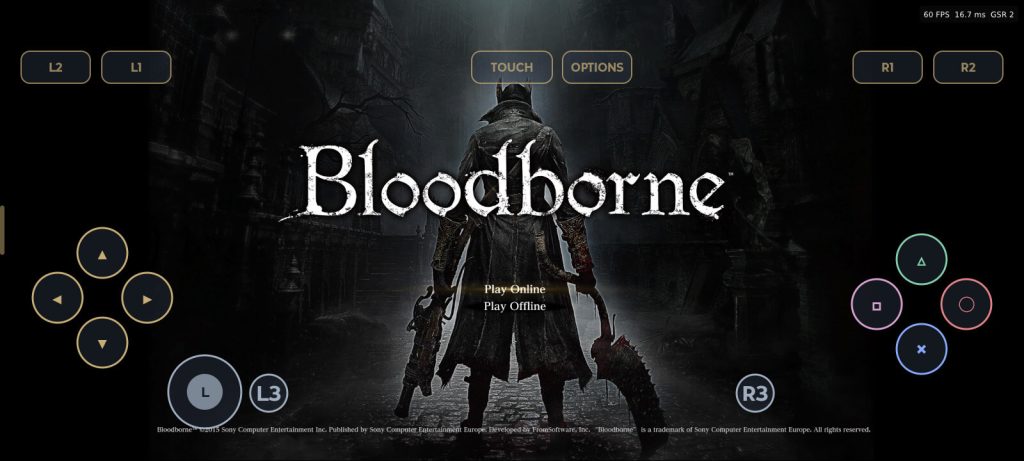
- On-screen controller: Drag anywhere outside the buttons to move the camera.
- Physical controllers: Bluetooth and USB gamepads are supported.
To open the side menu at any time, swipe in from the left edge or press Back.
Best Settings for Beginners
The defaults are tuned on the AYN Thor and are a safe starting point:
| Setting | Default / Recommended |
|---|---|
| Upscaler | Snapdragon GSR 2, Performance |
| Output resolution | 1080p (renders a 960×540 scene) |
| Model detail | Lowest |
| Costly effects | Off |
| FPS limit | 60 |
| Keep game speed when FPS drops | On |
How upscaler presets work
Each preset sets the internal (scene) resolution as a percentage of your output resolution:
| Preset | Scene size | Example at 1080p output |
|---|---|---|
| Quality | 67% | about 1286×724 |
| Balanced | 59% | about 1133×637 |
| Performance | 50% | 960×540 |
| Ultra Performance | 33% | about 634×356 |
For example, Performance at 1080p renders \(1920 \times 0.5 = 960\) by \(1080 \times 0.5 = 540\) pixels, then upscales the image to full screen. GSR 2 costs about 1.1 ms per frame on the Thor. FSR 3.1 is also available as an alternative.
Key performance tips
- Lower model detail first. On the Thor, the GPU spends most of its time on geometry, so model detail matters more than resolution.
- Don’t go above 1080p with less than 12 GB of RAM, because higher output uses much more memory.
- Keep “Keep game speed when FPS drops” on. The game then runs at real speed down to 20 FPS instead of slowing down below 30 FPS. Turn it off only if physics behave strangely.
- Watch the heat. One Odin 3 Ultra owner on Reddit reported using an underclock profile, with peak temperatures around 65 to 68 °C.
What performance to expect
- AYN Thor (Snapdragon 8 Gen 2): about 34 to 35 FPS in Central Yharnam without frame generation, with reduced detail and some effects turned off. Technetbook and iXBT.games reported this figure.
- Snapdragon 8 Elite devices (for example the Odin 3 or Oppo Find N5) should perform better. Community videos show the Odin 3 at 720p with GSR 2 and a locked 30 FPS.
- Stability: The developer has not confirmed whether the whole game can be finished without crashes.
Optional: Turn On Frame Generation (Bloodframe)
Bloodframe is the port’s frame generation engine. It is based on lsfg-vk and runs Lossless Scaling’s LSFG 3.1, which inserts generated frames between real frames to make motion look smoother.
- Buy Lossless Scaling on Steam. You need your own
Lossless.dllfile. - Open Graphics → Bloodframe. The page can download the file for you after you sign in to Steam.
- Use the recommended settings: 2×, performance mode on, FP16 on (these are the defaults).
Frame generation works best when the game already runs at 30 FPS or more. It works with any upscaler, and changes apply while you play. Frame generation makes the game look smoother but does not make it respond faster to your inputs.
Menu Guide
| Menu | What’s inside |
|---|---|
| Game | Back to game, Pause/Play, Game settings (skip intros and the online screen, free camera, debug menu), Cheats, Mods, Hunter’s Atlas, Online |
| Graphics | Aspect ratio (Auto, 4:3 to 32:9), resolution (360p up to your screen’s size), upscaler, FPS limit, effects, Bloodframe, GPU driver |
| Controls | On-screen controller layout (it also moves and resizes the mini map) |
| Storage | Game folder, save backup and restore |
| App | Report a problem, Check for updates, Debug options |
The game also pauses on its own when you leave the app or the screen turns off.
Extra Features
- Hunter’s Atlas live map (from version 1.1.0): Shows your position, floors, lamps, pickups, and NPCs. It can appear on a second screen (the AYN Thor’s other screen or an external display) or as a floating mini map. The map data (about 34 MB) downloads when you turn the map on.
- Route finding (from 1.2.0): Tap a lamp, item, NPC, or any spot to get a route drawn as footprints. Routes include ladders, lifts, drops, levers, and doors. Hold the mini map for 2 seconds to open the full map.
- Online play (from 1.2.0): Co-op, PvP, notes, and bloodstains through the community servers Seamless Hunt (account from seamlesshunt.com) or The Hunter’s Dream (Discord sign-in). Cheats and pause are turned off while you play online. Seamless co-op is available as an experimental option.
- Mods and cheats: You can install mods from
.zip,.7z, or.pkgfiles. GoldHEN-based cheats include infinite health and infinite items. - Unified memory (from 1.0.0): The game and the GPU share vertex and index data instead of each keeping a copy, which uses about 8% less RAM.
Troubleshooting
| Problem | Fix |
|---|---|
| Black screen at launch | Set the GPU driver back to Automatic (Turnip). The phone’s own Adreno driver doesn’t work yet. |
| Crash in the gestures menu | Replace a pre-patched 60 FPS eboot.bin with the original 1.09 one. |
| Game won’t start on a Mali phone | Mali is not supported. Don’t report Mali bugs. |
| First boot seems frozen | Wait. The first start takes a few minutes. |
| New glitches or crashes after an update | Go to App → Debug options and turn off unified memory. |
| Low FPS | Lower model detail, use GSR 2 Performance, stay at 1080p or below, and turn off costly effects. |
| Out-of-memory crashes | Lower the output resolution, especially on phones with less than 12 GB of RAM. |
| Strange physics | Turn off “Keep game speed when FPS drops.” |
| Security warning on Oppo/OnePlus | Tap Got it. |
| Something else is broken | Use Menu → Report a problem. It saves a logs zip (with no saves or game files) and can open a GitHub issue. |
Updating: Use App → Check for updates. Updates keep your saves, settings, mods, and game folder. Updating from 0.10.x or older switches the upscaler to GSR 2 once; you can change it back.
Frequently Asked Questions
Is Bloodborne officially available on Android?
No. Sony has only released Bloodborne on PS4. Bloodborne-Android is an unofficial, experimental community port.
Is it an emulator?
No. It is a native port. The game’s x86-64 code is translated with FEXCore, and PS4 system calls go to native Android replacements.
Can I play on a Samsung Galaxy phone?
Only on models with a Snapdragon chip. Exynos models use Mali GPUs, which are not supported.
Does it include the game?
No. You must provide your own extracted Bloodborne dump with update 1.09.
What is the minimum chip?
The project officially tests only the Snapdragon 8 Gen 2 and 8 Elite. Other Adreno 6xx/7xx/8xx chips are untested, and the community treats the 8 Gen 2 as the practical baseline.
Can I play online?
Yes, from version 1.2.0, through the Seamless Hunt or The Hunter’s Dream community servers.
Do I need Lossless Scaling?
Only for frame generation (Bloodframe). The game runs without it.
Can I finish the whole game?
Not confirmed yet. The developer has not verified that the full campaign is stable from start to finish.
Where do I download it safely?
Only from the official GitHub repository: github.com/ducvd89/Bloodborne-Android. The project is open source and licensed under GPL-3.0-or-later.
Glossary
- APK: An Android app installer file.
- eboot.bin: The game’s main program file on PS4.
- Game dump: A copy of the game files taken from your own PS4.
- Turnip: An open-source Vulkan driver for Adreno GPUs, from the Mesa project.
- FEXCore: Software that translates x86-64 code so it can run on ARM64 chips.
- GSR 2 / FSR 3.1: Upscalers that render the game at a lower resolution and sharpen it to full screen.
- Frame generation (LSFG): Inserts generated frames between real frames for smoother motion.
Bloodborne on Android: More FAQs (2026)
Last checked: October 22, 2026. These answers cover the Bloodborne-Android port by ducvd89 (latest release: 1.2.0). Each answer starts with the short version so readers and AI search tools can quote it on its own.
Basics
What is the Bloodborne Android port?
Bloodborne-Android is an unofficial, open-source port that runs the PS4 version of Bloodborne (v1.09) on Snapdragon Android devices. The developer ducvd89 published it on GitHub in October 2026. It runs the game’s own eboot.bin. FEXCore translates the game’s x86-64 code to ARM64, and the game’s graphics are translated to Vulkan using a renderer based on shadPS4.
Is Bloodborne-Android an emulator?
No. The developer calls it a port, not an emulator. A PS4 emulator copies the whole console. This port runs only the game’s code and replaces the PS4 system libraries it calls with native Android versions. It does not use a Linux layer, Wine, or Box64.
Why do some people call it a “recomp”?
“Recomp” is an informal community name, but it is not quite accurate. Some YouTube videos use it. The game’s code is translated by FEXCore when you play; it is not permanently recompiled into an Android program. One Reddit user in r/decomps made the same point: some translation must be happening.
How is this different from shadPS4 or PS4 emulators on Android?
The port is built only for Bloodborne, so it usually runs faster than a general emulator. In September 2026, one Odin 3 owner on Reddit reported about 15 FPS running Bloodborne in the BachataS4 emulator. Testers of this port report about 30 to 60 FPS on similar hardware (see the performance section).
Who made Bloodborne-Android?
A developer known as ducvd89 made it. It builds on community projects including bloodborne_pc, shadPS4, FEX, Mesa/Turnip, Snapdragon GSR, lsfg-vk, and Hunter’s Atlas by MikeTat1988.
Is Bloodborne-Android free?
Yes. The app is free and open source under GPL-3.0-or-later. You still need your own copy of Bloodborne. Frame generation also needs a purchased copy of Lossless Scaling on Steam.
Device Compatibility
Which phones can run Bloodborne on Android?
Snapdragon phones and handhelds with an Adreno 6xx, 7xx, or 8xx GPU, running Android 9 or newer. Only two devices are officially tested: the AYN Thor (Snapdragon 8 Gen 2) and the Oppo Find N5 (Snapdragon 8 Elite). All other devices are untested.
Does Bloodborne Android work on the Snapdragon 8 Gen 3?
Probably, but it is officially untested. The Snapdragon 8 Gen 3 uses an Adreno 7xx GPU, which the bundled Turnip driver supports. It is also faster than the officially tested 8 Gen 2. Still, nobody has confirmed it officially.
Does it work on the Snapdragon 8 Gen 1, 888, or 865?
These chips use supported Adreno 6xx/7xx GPUs, but they are untested and probably too slow. Community posts treat the Snapdragon 8 Gen 2 as the practical minimum. Expect low frame rates, crashes, or both on older chips.
Does it work on the AYN Odin 2 or Odin 3?
Yes. Both use chips in the tested range. The Odin 2 family uses the Snapdragon 8 Gen 2, the same chip as the AYN Thor. In a YouTube test from October 2026, the Odin 3 (Snapdragon 8 Elite) ran with GSR 2 Balanced at a locked 60 FPS.
Does it work on Retroid Pocket handhelds?
It depends on the chip. The Retroid Pocket 5, Flip 2, and Mini use the Snapdragon 865, which is likely too weak. The Retroid Pocket 6 uses the Snapdragon 8 Gen 2, which matches the tested AYN Thor.
Can I play Bloodborne on a Samsung Galaxy phone?
Only on Galaxy models with a Snapdragon chip. Galaxy models with an Exynos chip use Mali or Xclipse GPUs, which this port does not support. Check your exact model, because some Galaxy phones use Snapdragon in some regions and Exynos in others.
Does it work on Google Pixel, MediaTek Dimensity, or Exynos phones?
No. These chips use non-Adreno GPUs (such as Mali), which the port does not support. The app includes a Mali driver (PanVK) for testing only, and the game does not run on it yet. The developer asks users not to report Mali bugs.
Can I play Bloodborne on an iPhone or iPad?
No. Bloodborne-Android runs only on Android. There is no iOS version.
How much RAM do I need for Bloodborne on Android?
The developer tested with 16 GB of RAM. With less than 12 GB, keep the output resolution at 1080p or lower, because higher resolutions use much more memory. The unified memory feature (from version 1.0.0) cuts RAM use by about 8%.
Does it work on Android tablets?
Yes, if the tablet has a Snapdragon chip with an Adreno 6xx/7xx/8xx GPU and runs Android 9 or newer. The aspect ratio setting (Auto, 4:3 to 32:9) adjusts the picture to fit tablet screens.
Do I need to root my phone?
No. The README does not mention root. You install a normal APK file and pick your game folder.
Game Files and Setup
Does Bloodborne-Android include the game?
No. You must use your own extracted Bloodborne PS4 dump with update 1.09 merged in. Reposted “APK + DATA” bundles on social media are not official.
How much storage does Bloodborne on Android need?
Plan for about 30 GB or more of free space. Community install videos mention about 30 GB. The exact size depends on your dump. The optional Hunter’s Atlas map adds about 34 MB.
Which Bloodborne versions and regions work?
Version 1.09, in any region. The supported region codes are CUSA00900, 03179, 00207, 03173, 00208, 00299, 03014, 01363, and 03023.
Does The Old Hunters DLC work?
The README does not say whether the DLC is supported. Assume it may not work until the developer confirms it.
Can I use a 60 FPS patched eboot.bin?
No. Use the original 1.09 eboot.bin. According to the developer, pre-patched 60 FPS versions crash in the gestures menu. Use the app’s own FPS limit setting instead.
Why does the first launch take so long?
The app prepares the game the first time it starts, which takes a few minutes. Later launches are faster. Don’t close the app during the first start.
Can I move my PS4 save file to Android?
The README does not describe this. The app can back up and restore its own saves (under Storage). Updates keep your saves, settings, mods, and game folder.
Is it legal to play Bloodborne on Android?
The port’s code is legally distributed open source, but you must provide your own legally owned game files. Downloading Bloodborne files you do not own is piracy. Rules about making copies of games you own differ by country.
Performance and Graphics
How many FPS does Bloodborne get on Android?
About 30 to 60 FPS on strong Snapdragon devices, depending on settings. Reported results:
| Device | Chip | Reported performance |
|---|---|---|
| AYN Thor | Snapdragon 8 Gen 2 | About 34 to 35 FPS in Central Yharnam with reduced detail (iXBT.games, Technetbook) |
| Odin 3 | Snapdragon 8 Elite | Locked 60 FPS with GSR 2 Balanced (YouTube test) |
| Odin 3 | Snapdragon 8 Elite | Locked 30 FPS at 720p with GSR 2 (community video) |
Some users also report stutters when the game loads new areas.
What are the best settings for Bloodborne on Android?
Start with the defaults: GSR 2 Performance, 1080p output, lowest model detail, costly effects off, and a 60 FPS limit. On weaker devices, cap the game at 30 FPS for steadier frame pacing. Lower model detail before lowering resolution, because on the Thor the GPU spends most of its time on geometry.
What is the difference between GSR 2 and FSR 3.1?
Both render the game at a lower resolution and upscale it, but GSR 2 is made by Qualcomm specifically for Adreno GPUs. GSR 2 costs about 1.1 ms per frame on the AYN Thor and has been the default since version 0.11.0. FSR 3.1 (from AMD) is also available.
What internal resolution does each upscaler preset use?
The scene is rendered at a percentage of your output resolution: Quality 67%, Balanced 59%, Performance 50%, and Ultra Performance 33%. For example, Performance at 1080p renders \(1920 \times 0.5 = 960\) by \(1080 \times 0.5 = 540\) pixels.
Can Bloodborne on Android run at 120 FPS?
Only with frame generation, and only in principle. The Bloodframe feature can multiply frames by 2× to 4×, so 2× applied to 60 real frames would give 120 frames shown on screen. Generated frames make motion look smoother but do not make the game respond faster to your inputs. They work best when the game already runs at 30 FPS or more.
Does the game slow down when FPS drops?
No, as long as the game stays at 20 FPS or above. With “Keep game speed when FPS drops” turned on (the default), the game keeps its normal speed down to 20 FPS. On PS4, it would slow down below 30 FPS.
Why does my phone get hot or slow down after a few minutes?
Bloodborne pushes the CPU and GPU hard, so phones without active cooling may thermal throttle. One Reddit user said their phone started throttling after about 5 minutes and dropped into the 20s FPS. To reduce heat:
- Use a 30 FPS cap.
- Choose a lower upscaler preset.
- Use a phone cooler.
- Play on a handheld with a fan, such as the AYN Thor or Odin.
How much battery does Bloodborne use on Android?
There are no official battery figures, but expect heavy drain, similar to other demanding 3D games. A 30 FPS cap and lower settings help battery life.
Drivers and Troubleshooting
Why do I get a black screen?
You are probably not using the bundled Turnip driver. Phones’ built-in Adreno drivers don’t run the game yet. Set the GPU driver to Automatic, which uses Turnip Gen8 V37 by StevenMXZ on Adreno 6xx/7xx/8xx GPUs.
Can I use a custom GPU driver?
Yes. From the menu, you can download other drivers (Turnip 26.3.0, or StevenMXZ’s 26.3.0-R6 and R6 One UI) or install any adrenotools driver zip.
The game crashes or shows glitches after an update. What should I do?
Turn off unified memory in App → Debug options. If the problem continues, use Menu → Report a problem. It creates a logs zip (with no saves or game files) and can open a GitHub issue.
What does the “Security warning” on Oppo or OnePlus phones mean?
It is a ColorOS/OxygenOS prompt that may appear at launch. Tap “Got it.”
Can I finish the whole game on Android?
This has not been confirmed. Reports so far show playable frame rates in early areas. Whether the full campaign is stable has not been verified, so back up your saves often.
Features
Does Bloodborne on Android support controllers?
Yes. Physical controllers and an on-screen touch controller are both supported. You can change the on-screen layout under Controls. To turn the camera, drag outside the buttons.
Can I play Bloodborne online on Android?
Yes, from version 1.2.0. Co-op, PvP, notes, and bloodstains work through the community servers Seamless Hunt (account from seamlesshunt.com) and The Hunter’s Dream (Discord sign-in). Cheats and pause are turned off while you play online. Seamless co-op is an experimental option.
Does Bloodborne on Android work offline?
Yes for normal play. An internet connection is needed only for online play, app updates, downloading the Hunter’s Atlas map data, and downloading Lossless.dll through Steam sign-in. You can also turn off the online screen at startup in Game settings.
What is Hunter’s Atlas?
It is a live map that shows your position, floors, lamps, pickups, and NPCs. It can appear on a second screen (such as the AYN Thor’s bottom screen or an external display) or as a floating mini map. From version 1.2.0, tapping a location draws a route to it as footprints, including ladders, lifts, drops, levers, and doors.
Can I use mods and cheats?
Yes, in single-player. You can install mods from .zip, .7z, or .pkg files. Cheats based on GoldHEN (by Shiningami) include infinite health and infinite items.
Can I pause Bloodborne on Android?
Yes, in single-player. The PS4 version cannot be paused, but this port has Pause game in the side menu. The game also pauses on its own when you leave the app or the screen turns off. Pausing is turned off during online play.
How do I update Bloodborne-Android?
Use App → Check for updates. Updates keep your saves, settings, mods, and game folder.
Can I build Bloodborne-Android from source?
Yes. Clone the repository with --recursive, then run the three scripts in tools/android/: build_bionic_deps.sh, build_bionic.sh, and build_release_apk.sh. More details are in docs/ANDROID_THOR.md.